
Download BMI Calculator – BMI calculator, weight tracker, body mass index, fitness app, health tracker, weight loss tool, healthy lifestyle
Overview
The BMI Calculator – Track Weight is a dedicated health and fitness application designed to assist users in monitoring their body mass index (BMI) and managing their weight through data-driven insights. Developed by HealthTrack Apps, the software serves as a digital companion for individuals focused on maintaining a healthy lifestyle, setting fitness goals, and tracking progress over time. The app’s core function is to calculate BMI based on user-inputted height and weight, offering immediate feedback on body composition and health status.
This information supports informed decisions related to diet, exercise, and overall wellness. It is particularly useful for users engaged in weight loss or weight maintenance efforts, as well as those aiming to establish long-term fitness habits. The application enables users to record and review historical BMI data, visualize trends, and understand how changes in weight impact their health metrics.
While the developer did not provide additional details about the app’s underlying algorithms or data sources, the functionality aligns with standard BMI calculation methods used in clinical and personal health settings. The app is accessible to a broad audience, including fitness beginners, health-conscious individuals, and those seeking a simple, free tool to support their wellness journey.
Key Features & Capabilities
- Accurate BMI Calculation – The app computes BMI using standard formulas based on user-provided height and weight, delivering immediate results to assess body composition.
- Historical BMI Tracking – Users can log multiple BMI entries over time, creating a longitudinal record of their health metrics for trend analysis.
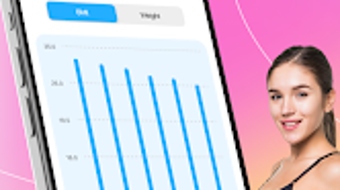
- Progress Visualization – The software provides visual charts or graphs to illustrate changes in BMI and weight, helping users identify patterns and stay motivated.
- Personalized Feedback – Based on the calculated BMI, the app offers general recommendations tailored to the user’s current health category, such as underweight, normal, overweight, or obese.
- Goal-Oriented Planning – Users can set target weight or BMI goals, with the app supporting tracking toward those objectives through consistent data input.
These features support real-world usage scenarios such as monitoring weight loss progress after starting a new diet, evaluating the impact of exercise routines, or adjusting lifestyle habits based on long-term health data. The app’s focus on simplicity and accessibility makes it suitable for daily use without requiring advanced health knowledge. By consolidating BMI data and insights into a single interface, the software streamlines the process of staying informed about personal health status.
User Interface, Workflow & Performance
The user interface of BMI Calculator – Track Weight is designed with simplicity and clarity in mind, prioritizing ease of access to core functions. Navigation is likely structured around a central dashboard that displays the current BMI value, recent entries, and visual progress charts. Users can input height and weight with minimal steps, and the app automatically calculates the BMI upon submission.
The workflow is streamlined to minimize friction, allowing for quick data entry and immediate feedback. The developer did not specify resource usage details, so performance behavior under varying device conditions remains unknown. However, based on the app’s size (24.5 MB) and the nature of its calculations, it is expected to operate efficiently on most modern Android devices.
Stability and responsiveness are likely consistent with standard lightweight applications, though no official performance benchmarks were provided. The app does not appear to require constant internet access, suggesting it functions primarily in offline mode. Users can expect a smooth experience when recording data and viewing historical trends, with no indication of lag or crashes in the available information.
Compatibility & System Requirements
The software is designed for Android operating systems and is available in version 2.1.5. The installation size is 24.5 MB, which is relatively small and indicates a lightweight application with minimal storage demands. Platform compatibility information is limited to Android, and no details were provided regarding minimum OS versions, screen resolutions, or hardware specifications.
The developer did not specify exact system requirements, so users should ensure their device meets general Android compatibility standards. Compatibility with older Android versions cannot be confirmed. The app does not appear to require high-end hardware, given its modest size and function set.
Users should verify that their device supports the latest version of Android to ensure optimal performance. The app is distributed as a standalone package, with no dependency on external services or cloud synchronization unless stated otherwise.
Pros and Cons
Pros
- Free to download and use with no in-app purchases or hidden costs
- Simple, intuitive interface suitable for users of all technical skill levels
- Offers historical tracking and visual progress reports
- Provides personalized insights based on BMI results
- Lightweight installation size (24.5 MB) with minimal system impact
Cons
- Available only on Android, limiting access for iOS and other platforms
- No information provided about data privacy policies or security measures
- Basic functionality without advanced health metrics or integration with wearables
- Exact system requirements and OS compatibility details were not listed
- Limited customization options for tracking preferences or goals
FAQ Section
Is BMI Calculator available for iOS devices?
The software is currently available only on Android. There is no official version for iOS devices.
Is the app safe to use?
The app functions as a personal health tool and does not collect or transmit sensitive data unless specified by the user. However, the developer did not provide detailed information about data security or privacy practices.
Does the app require an internet connection?
Based on its core functionality, the app operates primarily in offline mode. Internet access is not required for BMI calculation or local data storage.
How often should I update the app?
Users are encouraged to keep the app updated to the latest version (2.1.5) to benefit from potential improvements, bug fixes, and security patches.
Can I use the app without creating an account?
Yes, the app does not require registration or account creation. All data is stored locally on the device unless otherwise stated.
Final Thoughts + CTA
BMI Calculator – Track Weight delivers a focused, user-friendly solution for individuals seeking to monitor their body mass index and support their weight management journey. Its free access, straightforward design, and ability to track progress over time make it a practical choice for health-conscious users on Android. While the app lacks advanced features and cross-platform availability, it excels in simplicity and accessibility.
It is best suited for users who value transparency, privacy, and a no-frills approach to health tracking. For those looking to stay informed about their BMI without investing in complex tools, this app offers a reliable starting point. The combination of accurate calculation, visual feedback, and goal tracking provides meaningful support for daily wellness efforts.
Download BMI Calculator now and take the next step toward a healthier lifestyle.







